
iPhone Lock Screen widget
Learn Chinese on your iPhone Lock Screen
For iPhone, iOS 16.4 or later
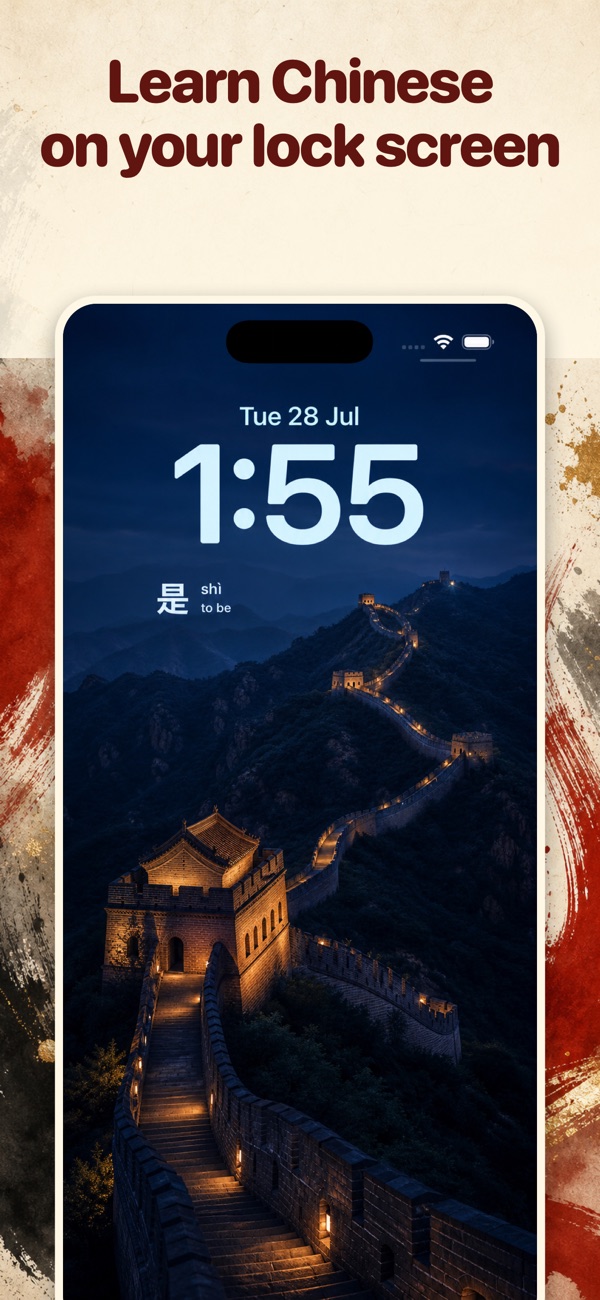
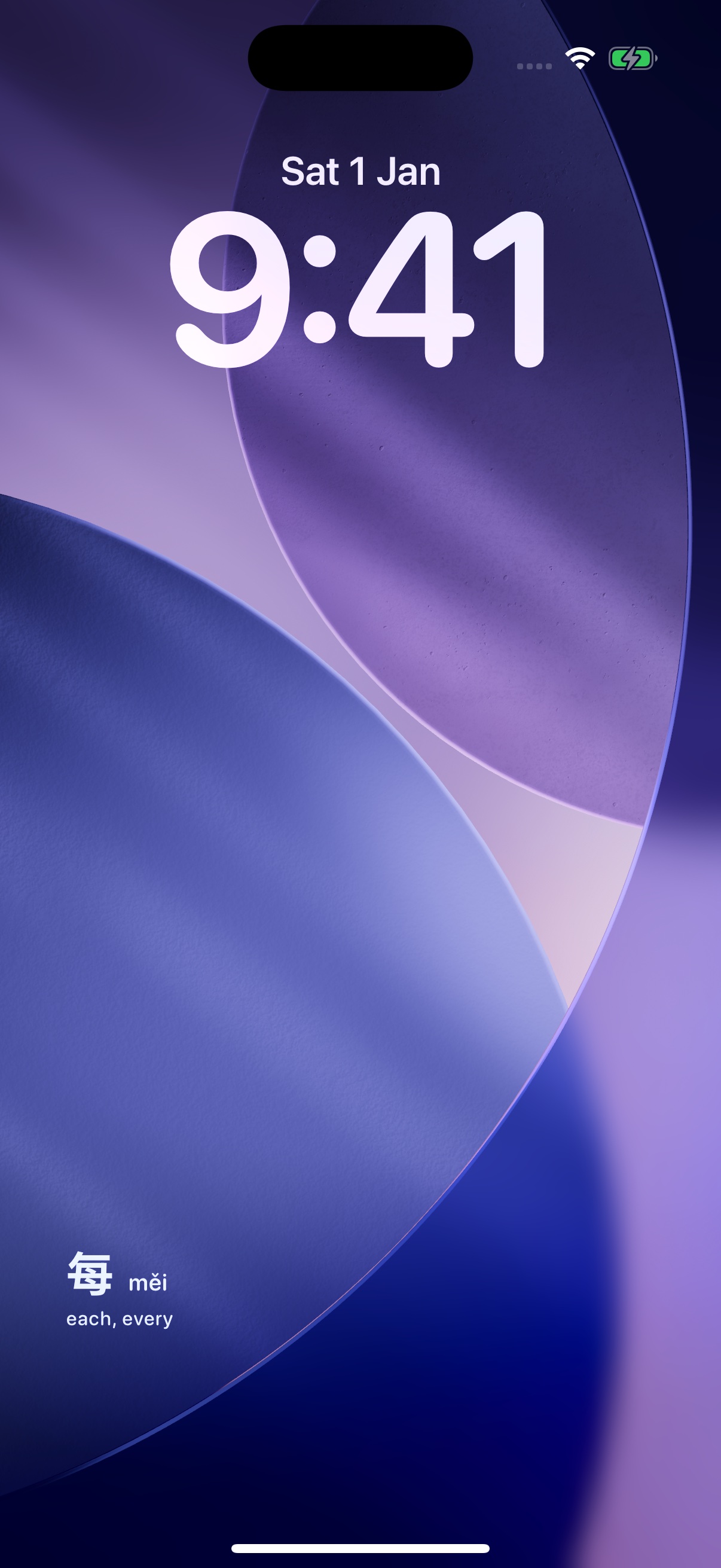
See the word. Keep the habit.
Glance at the word when you check your phone. Open Dayword to hear its pronunciation, read an example, and review what you remember. The widget gives you exposure; reviews in the app help you retain it.
Chinese on the Lock Screen, not in another tab
The widget sits under the clock. You see characters, pinyin, and meaning in the glance you already take — unlocking the phone, checking the time, picking it up on the table.
Today’s words, not one forgotten daily word
A word-of-the-day widget shows one new item and hopes. Dayword rotates the words you are actually learning between morning and night, then brings each back when you would forget it.
HSK order, with audio and sentences
More than 10,000 words from HSK 2025, introduced by level and frequency. Example sentences, tone marks, and pronunciation audio. Simplified or traditional.
Lock Screen Chinese vs a word of the day
Most Chinese widget apps show one new character each morning. That is exposure. It is not a review system.
| Word of the day | Dayword | |
|---|---|---|
| On the Lock Screen | One new word | Today’s words, rotating morning to night |
| Memory | Hope you remember tomorrow | Spaced review when you would forget |
| Path | Often random or a short list | HSK level and frequency, with a placement check |
| In the app | Sometimes nothing else | Audio, example sentences, Again / Got it grading |
Adding the HSK widget
- 01
Install Dayword and open it to choose your starting vocabulary and prepare your words.
- 02
Lock your iPhone, then press and hold the Lock Screen. Unlock with Face ID or your passcode if asked.
- 03
Tap Customize and choose the Lock Screen. Tap the widget area, labelled Add Widgets when it is empty.
- 04
Choose Dayword, select the word widget, and tap Done to save your Lock Screen.
If Dayword is missing from the widget picker, open the app once and try again. Remove another widget if the area is full. iOS controls widget refresh timing, so changes may not appear immediately.
Questions about Lock Screen Chinese
How do I put Chinese on my iPhone Lock Screen?
Install and open Dayword to prepare your words. Press and hold your iPhone Lock Screen, tap Customize, choose Lock Screen, then tap Add Widgets and select Dayword. Tap Done to save. The widget position and refresh timing depend on iOS.
Is Dayword an HSK lock screen app?
Yes. Words are introduced by HSK level and frequency, with more than 10,000 entries from the HSK 2025 vocabulary. A placement check aims new words around your current level.
Is this just a Chinese word of the day widget?
No. A word-of-the-day widget shows one new item and hopes you remember it. Dayword rotates today’s words on the Lock Screen, then brings each one back on a spaced schedule right before you would forget it.
Does the Chinese Lock Screen widget work offline?
Yes. Characters, pinyin, meanings, and example sentences ship on the device. Pronunciation audio can download in the background. You can start without creating an account.
Simplified or traditional characters?
Either. Switch in Settings. Pinyin, tone marks, English meanings, and audio stay the same.
Keep reading
Put HSK on your Lock Screen
Dayword lives under the clock. Install it, add the widget, and the next glance is a Chinese word.
Or start from the Dayword home page.